Instant invoices
Sale made → branded invoice on the customer's WhatsApp in seconds.
Far more than sending an invoice. Formonix POS turns WhatsApp into a complete sales, service and marketing channel — auto invoices & alerts, daily business summaries, payment-due chasers, bulk campaigns, an auto-reply chatbot, and a Roman-Urdu AI assistant — all with built-in anti-ban protection.
You connect your existing WhatsApp number once by scanning a QR code. From then on, Formonix POS watches your sales, payments, stock and customers — and sends the right WhatsApp message at the right time, automatically. Below is every part of the module, with real screens from the live app so you can see exactly what's built.
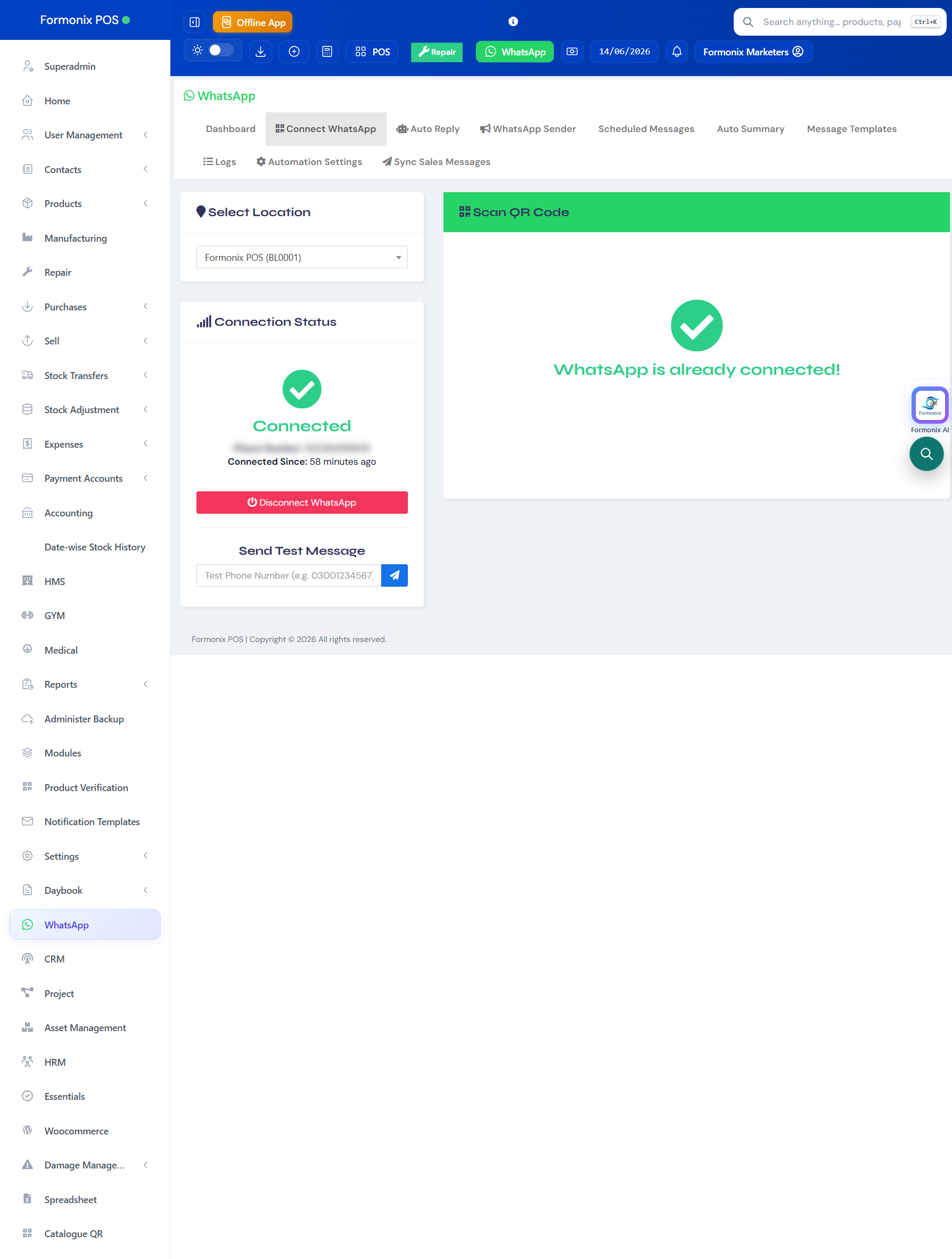
No new SIM, no business API approval, no waiting. Open WhatsApp on your phone, go to Linked Devices, and scan the QR code — your number is connected.
Each business location can connect its own WhatsApp number, and you can fire a test message any time to confirm it's live.
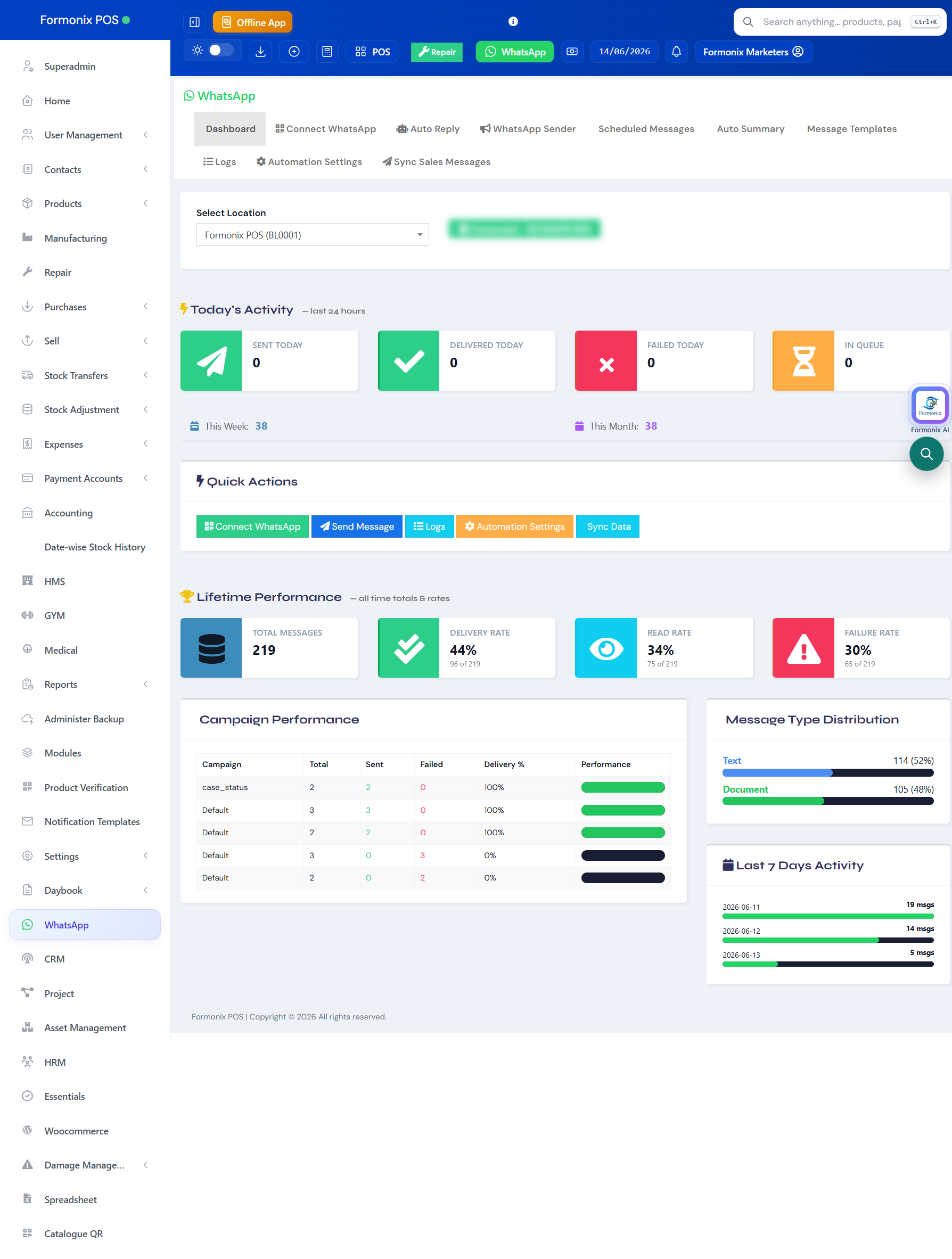
See WhatsApp activity at a glance — messages sent, delivered, failed and queued today, this week and this month, plus lifetime delivery, read and failure rates.
Campaign performance, message-type breakdown and the last 7 days of activity all sit on one screen, with quick actions to connect, send, view logs or open settings.
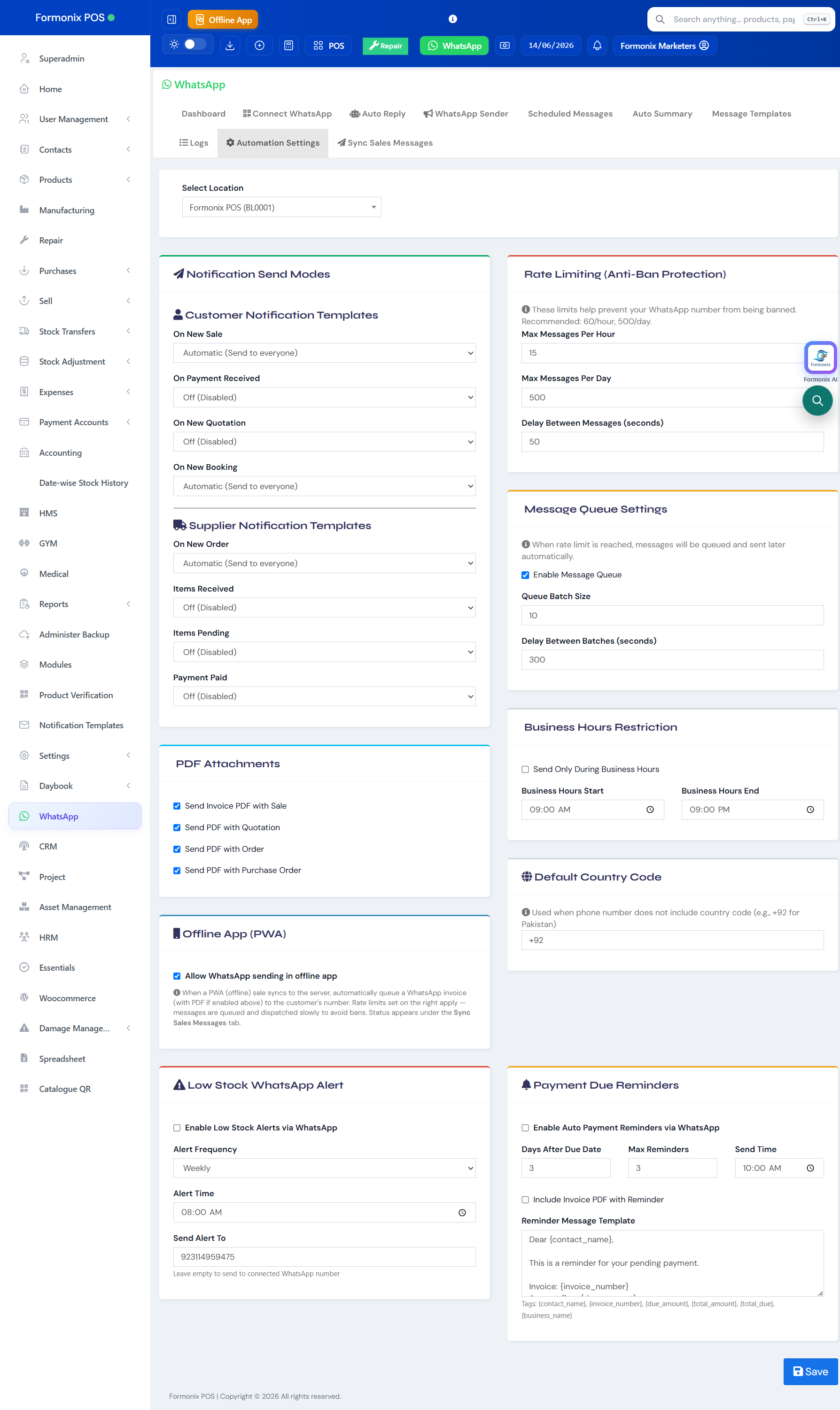
This is the heart of the module. For customers, Formonix can automatically message on a new sale, on payment received, on a new quotation and on a new booking. For suppliers, it can message on a new order, when items are received or pending, and when a payment is paid.
Each event has three modes — Automatic (send to everyone), Manual (ask before sending) or Off — and you can attach the invoice, quotation or order PDF to the message. It even works in offline mode, queueing the message to send once you're back online.
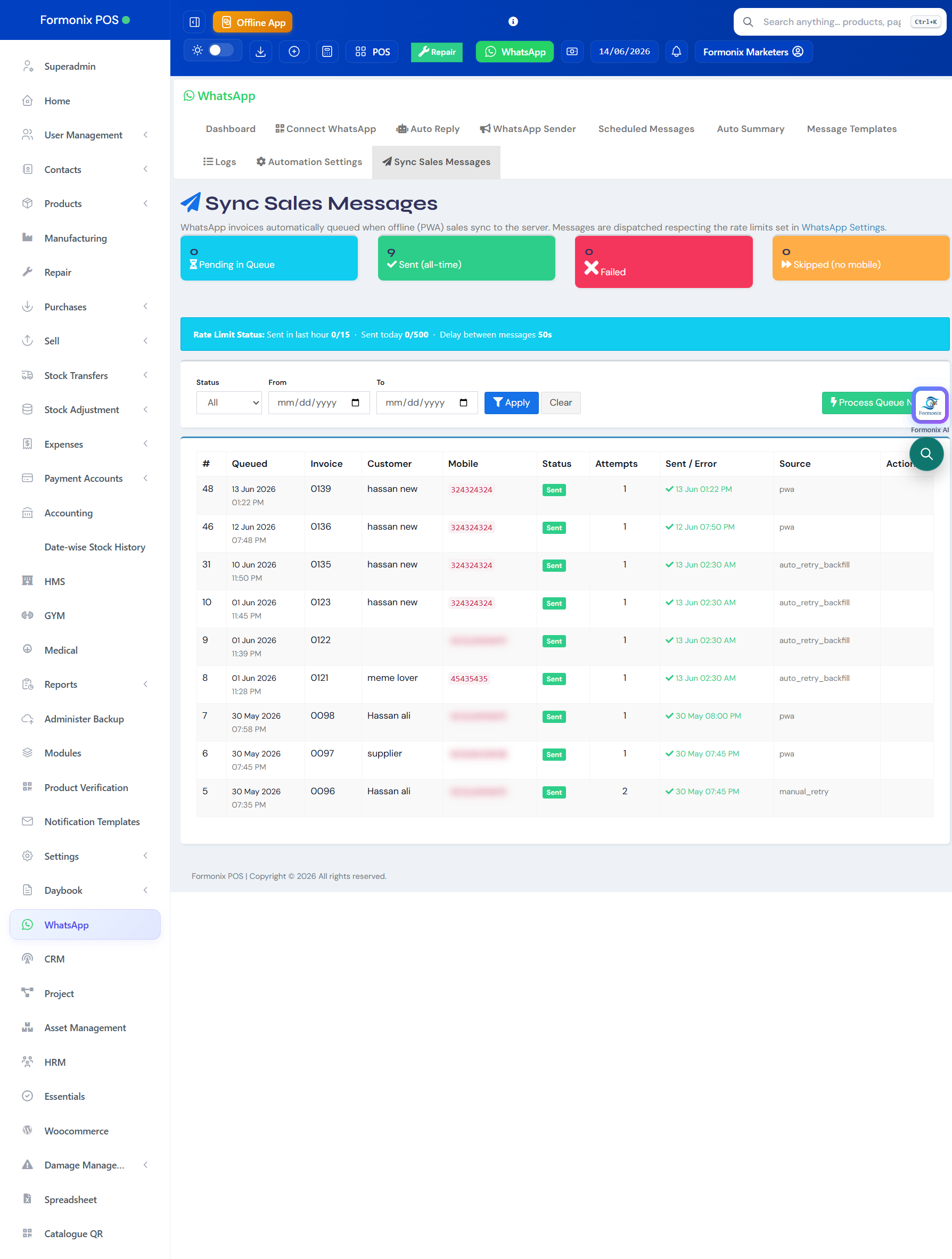
When a sale happens, its invoice goes into a dedicated send queue. If WhatsApp is busy or a message fails, Formonix doesn't give up — it retries automatically with back-off until the message is delivered.
You get a clean view of what's pending, sent and failed, so no customer ever silently misses their invoice.
Without opening the app, get your whole business delivered to WhatsApp on a schedule. Choose from 14 report sections — sales, purchases, expenses, payment collections, payments made, top-selling products, customer & supplier ledgers, low-stock, profit/loss, cash flow, staff performance, payment-method breakdown and branch comparison.
Attach a full PDF report, add your own header and footer, and even send tailored statements to specific customers or suppliers — daily or weekly — merged into a single PDF.
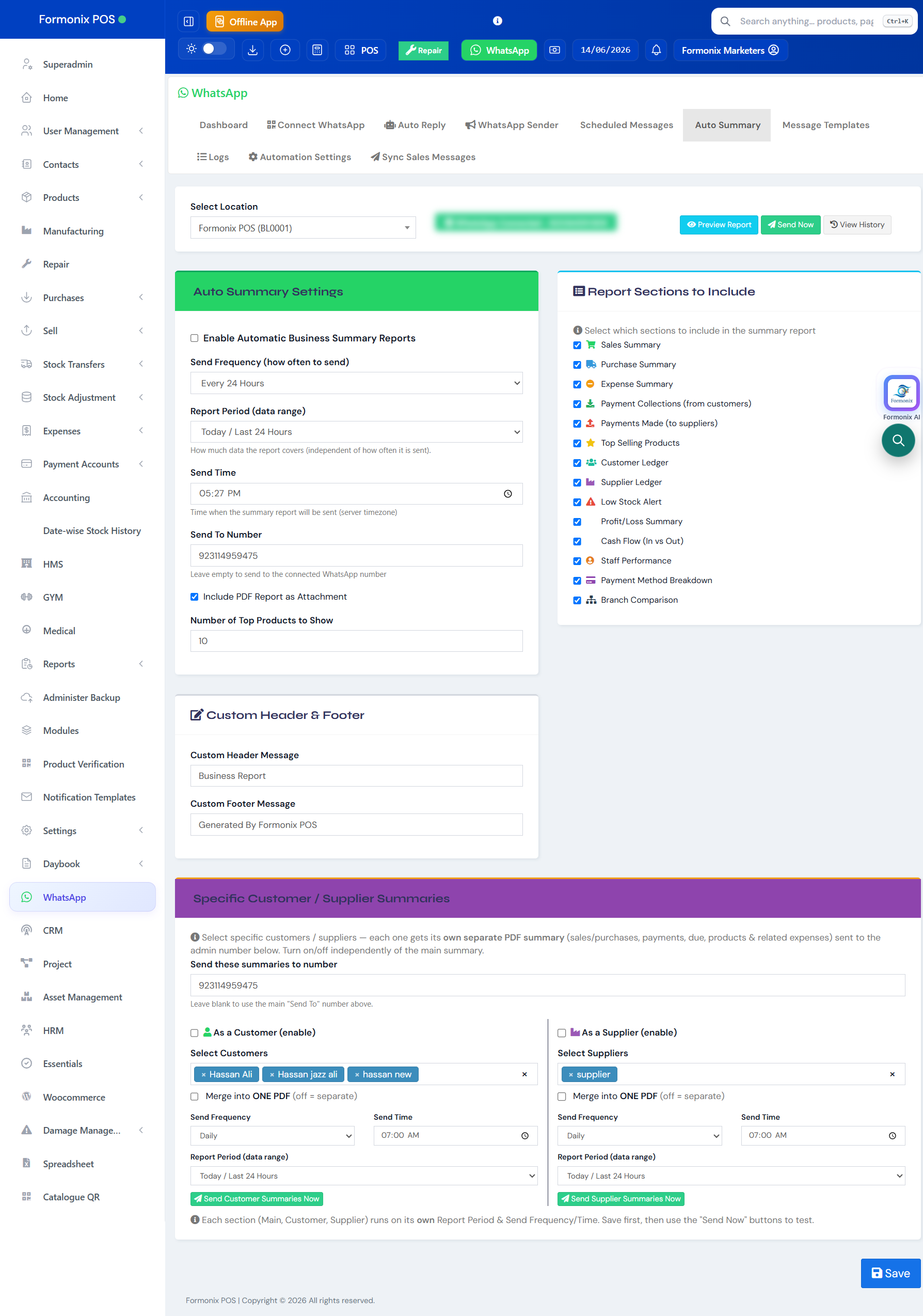
14 report sections you can switch on:
Stop chasing dues by hand. Turn on auto payment reminders and Formonix messages customers a set number of days after the due date, up to a maximum you choose, at a time you set — with the invoice PDF attached and a fully editable reminder template.
The same settings screen also sends low-stock WhatsApp alerts on a schedule, so you reorder before a fast seller runs out.
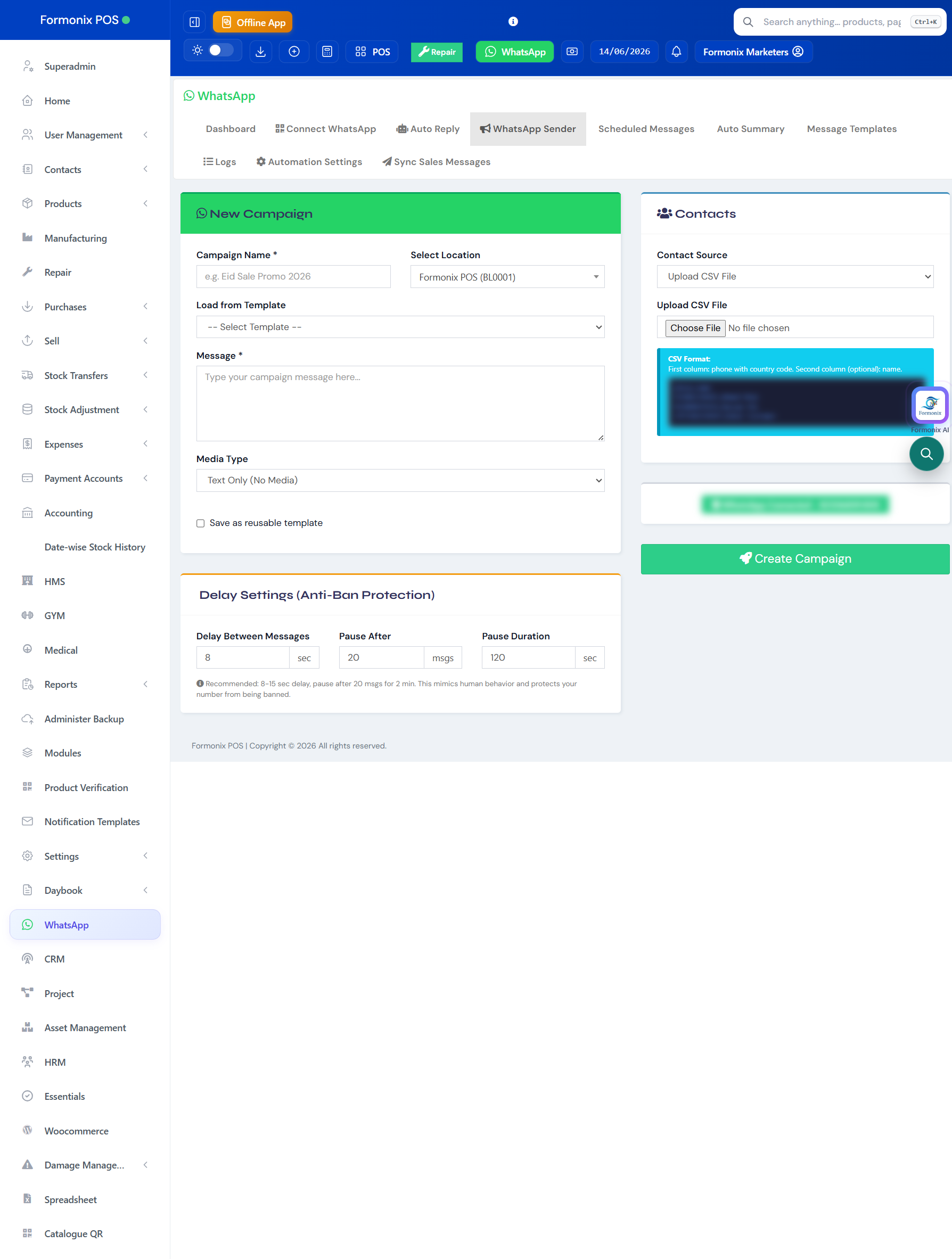
Run festival offers, new-arrival announcements and re-engagement blasts. Build a campaign from a saved template, attach media, and pick your audience — upload a CSV, choose a contact group, or select from your customer list.
Crucially, every campaign is protected by anti-ban delay settings — a delay between messages plus a pause after every batch — and a live progress tracker shows exactly how the send is going.
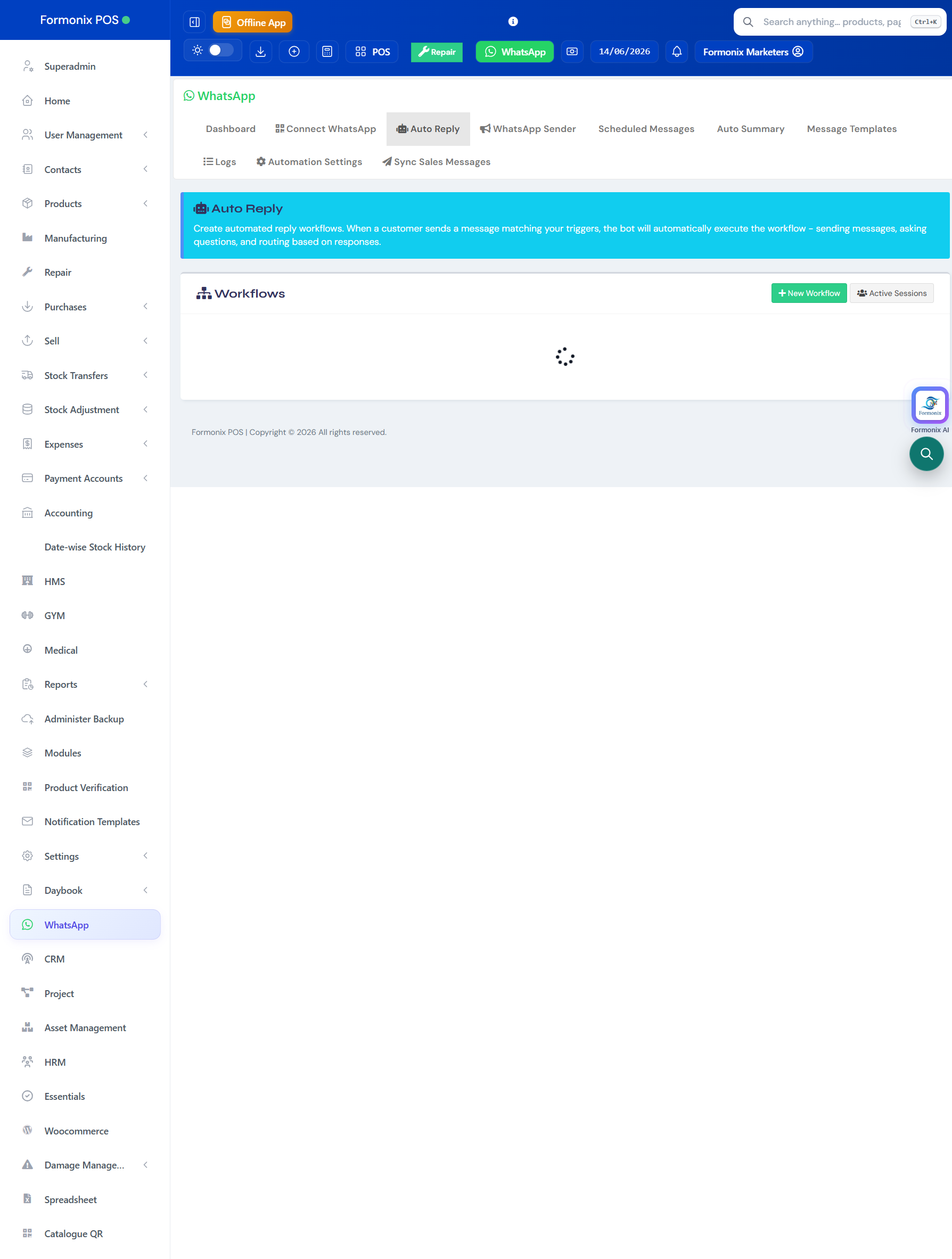
The Auto-Reply builder lets you create automated reply workflows. When a customer sends a message that matches your triggers, the bot automatically runs the flow — sending messages, asking questions, and routing the conversation based on their answers.
Set up keyword triggers, multi-step flows and active-session tracking so common questions answer themselves, day and night.
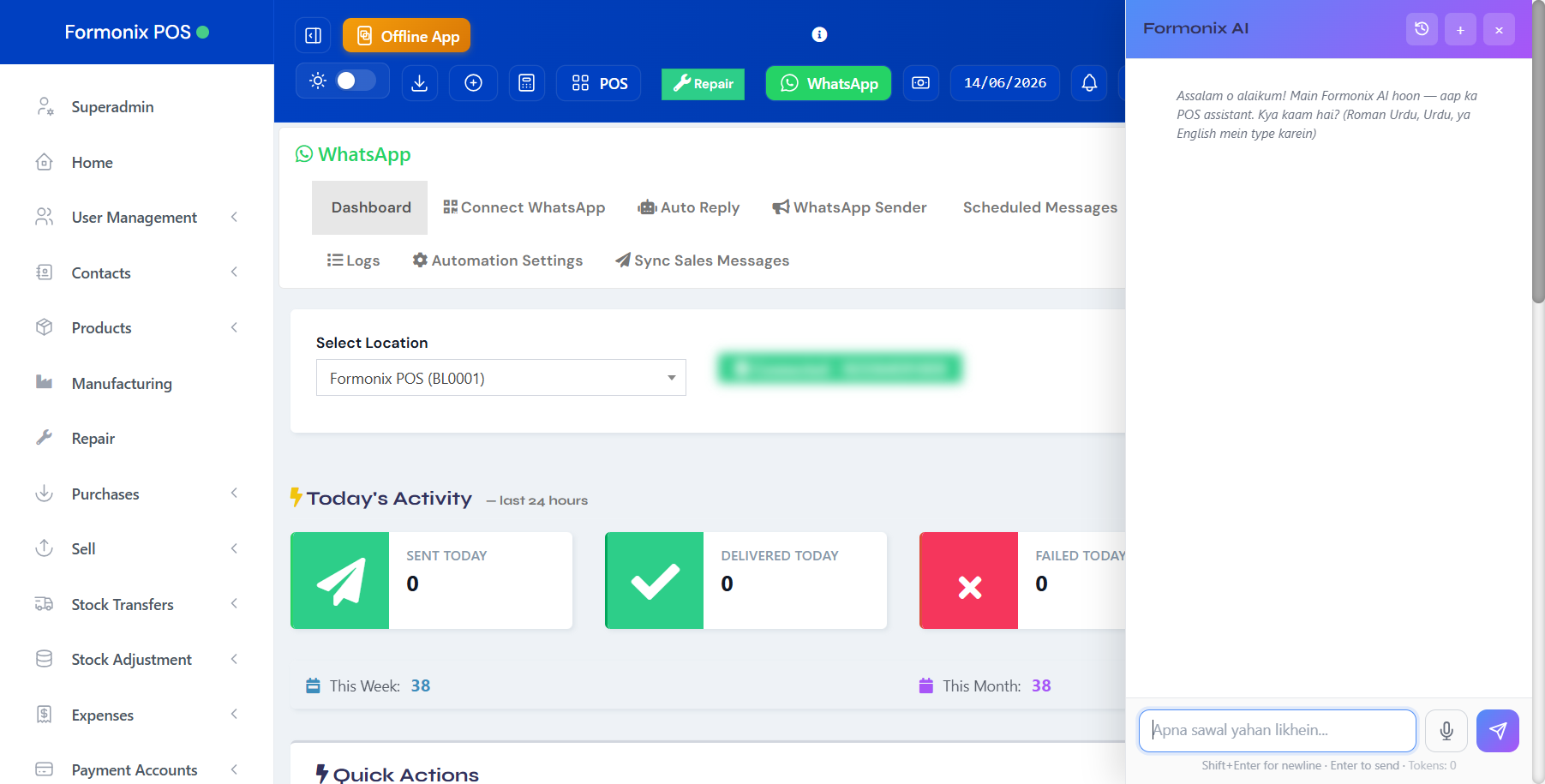
Built right in is Formonix AI, a multi-provider assistant (Claude, OpenAI, Gemini) that understands your POS data. Ask it questions in Roman Urdu, Urdu or English — by text or voice — and it answers using your real sales, stock and customer information, with secure token quotas.
It's a true AI layer over your business: summarise the day, find a figure, or get help using the software, instantly.
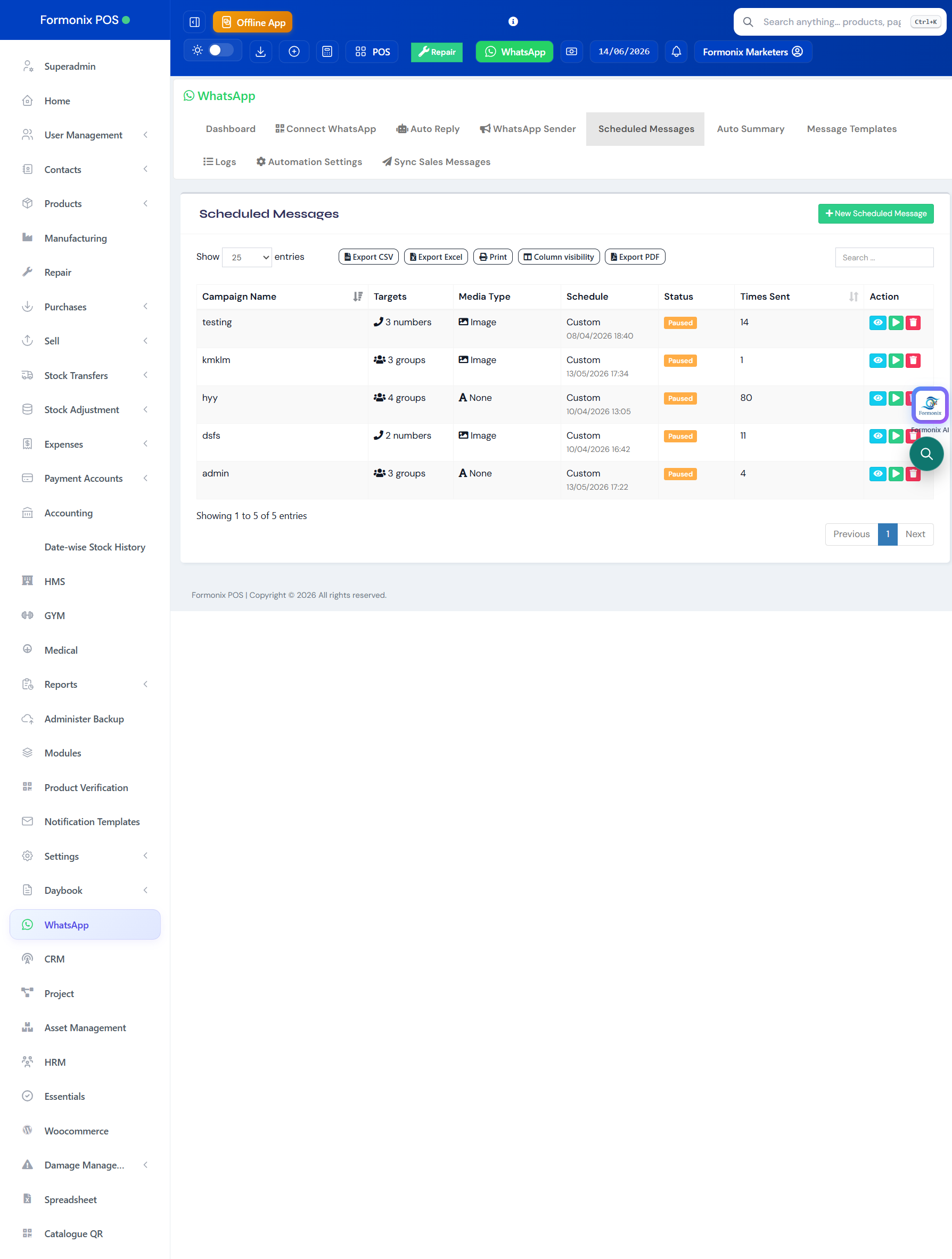
Schedule one-off or recurring messages to a contact or a whole group — send a reminder, an offer or a notice at exactly the right time.
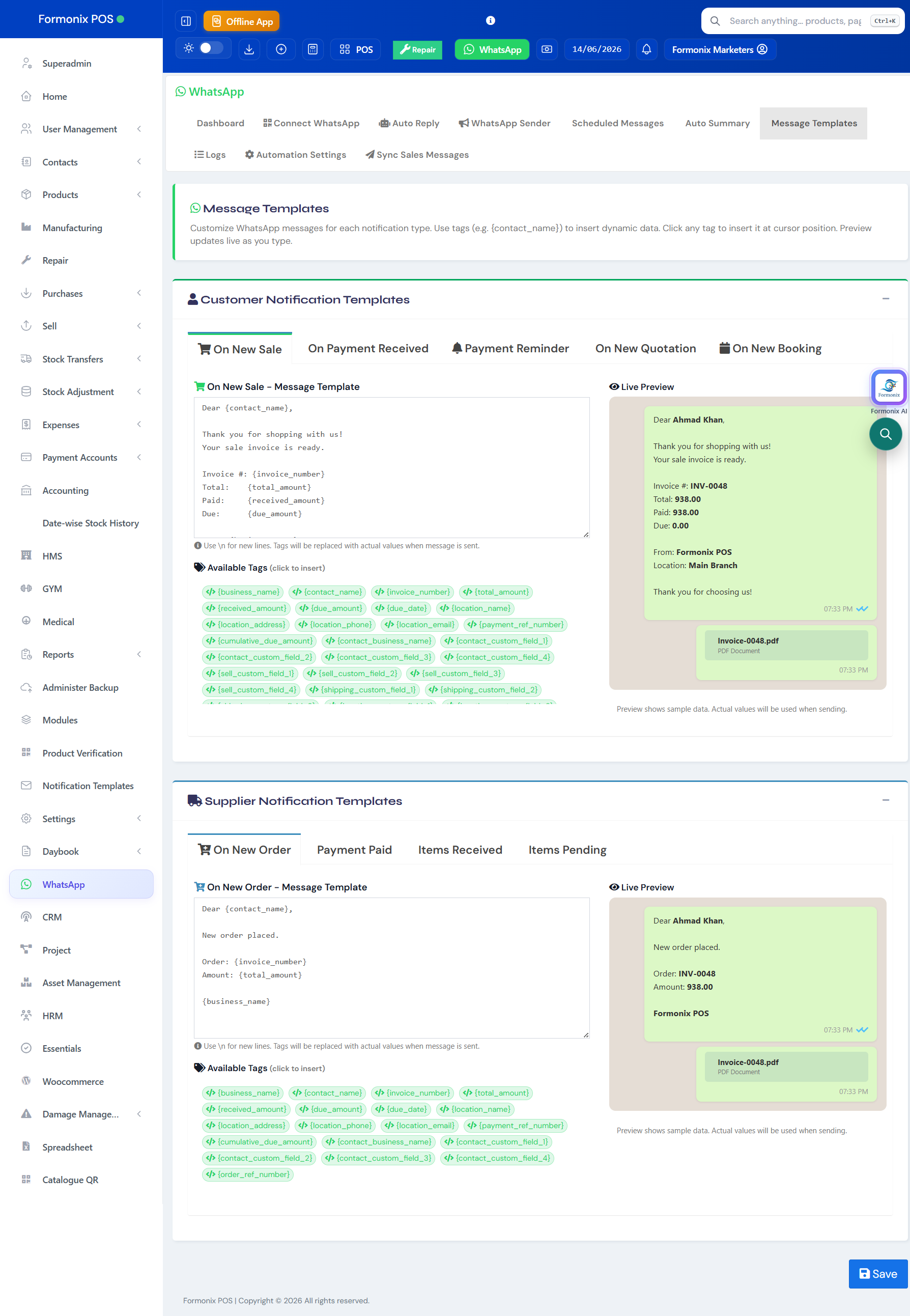
Save your best messages as templates with variables (customer name, invoice no, amount) and reuse them across notifications, campaigns and scheduled sends.
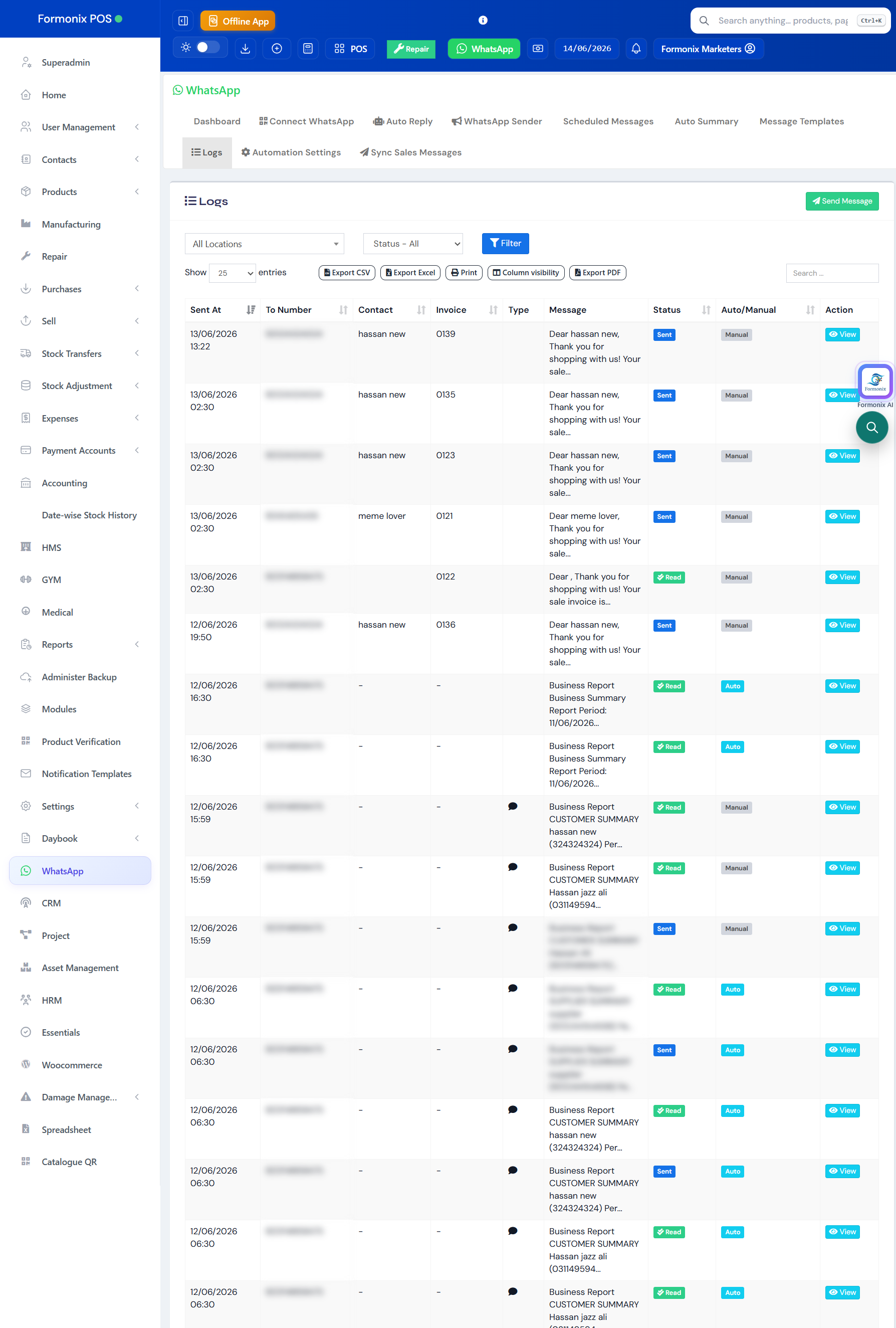
Every message is logged with its number, type, status and time — search, filter and confirm exactly what was sent and delivered.
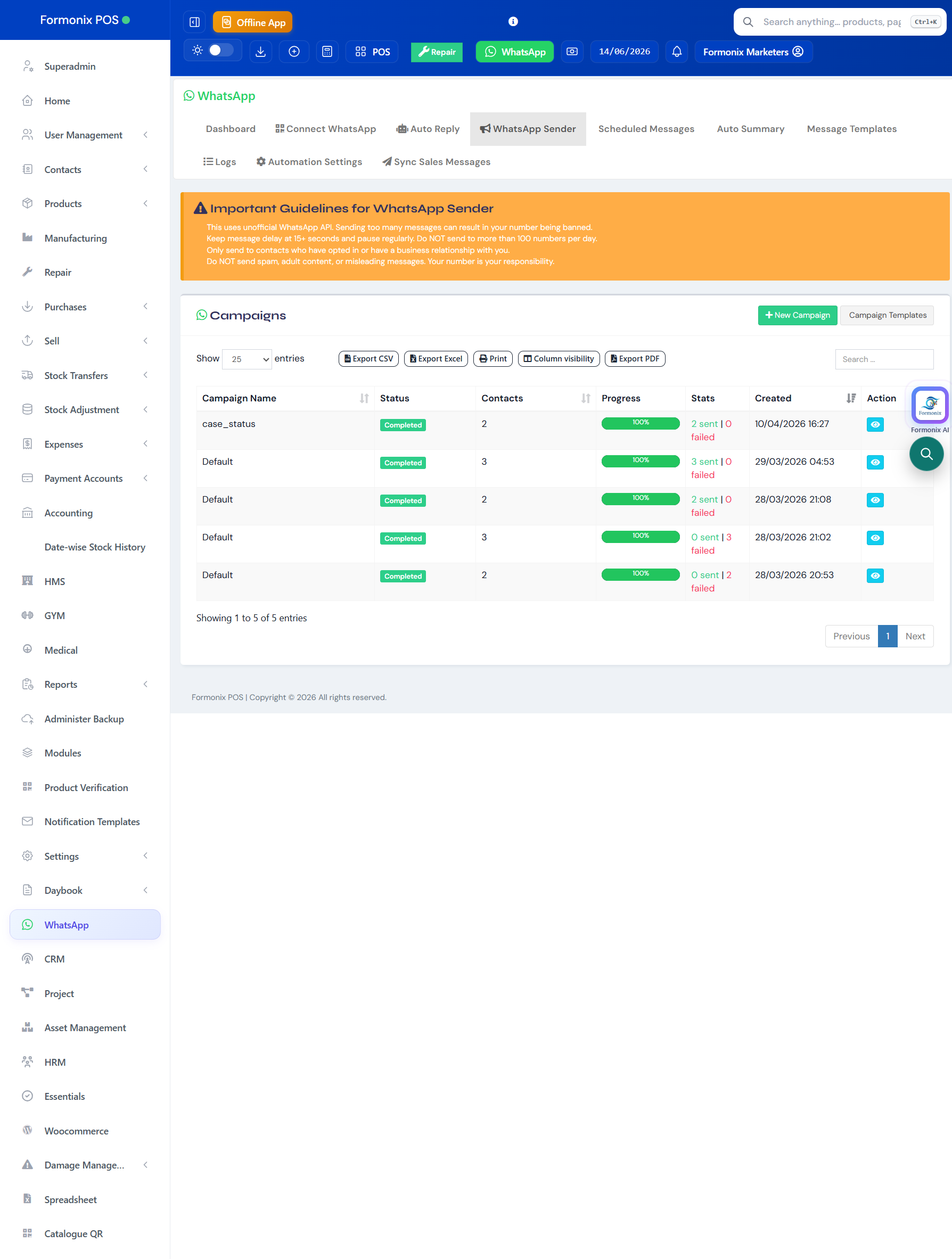
See all past campaigns, duplicate a successful one, and track delivery performance over time.
Sending lots of WhatsApp messages can get a number banned. Formonix protects yours on every automation and campaign — automatically.
Caps per hour and per day (e.g. 60/hour, 500/day) with a delay between every message.
When a limit is hit, messages queue in batches and send later automatically.
Restrict sending to your open hours so customers aren't messaged at night.
A default country code (e.g. +92) is applied to numbers that need it.
Sale made → branded invoice on the customer's WhatsApp in seconds.
Payment overdue → automatic reminder until it's paid.
9 PM → sales, profit & low-stock report to the owner.
Eid offer → safe bulk campaign to all customers.
Customer asks a question → chatbot answers instantly.
“aaj ki sale kitni thi?” → Formonix AI answers in Roman Urdu.
“Pehle har customer ko manually invoice WhatsApp karta tha. Ab sale karte hi auto chala jata hai — aur jo fail ho, wo khud retry hota hai. Time bohot bachta hai.”
“Daily summary raat ko WhatsApp pe aa jati hai — dukan khole baghair pata chal jata hai kal kitna bika aur profit kitna hua.”
“Eid pe ek hi campaign se 800 customers ko offer bheja, do ghante mein. Number ban bhi nahi hua kyunki anti-ban delay built-in hai.”
Register free and connect your number in 30 seconds to try it on your own data.
Register FreeNo. You connect your normal WhatsApp number by scanning a QR code (Linked Devices) — no API approval or new SIM needed.
Formonix has built-in anti-ban protection on every automation and campaign — hourly/daily rate limits, a delay between messages, batch queueing and a business-hours restriction — to keep your number safe.
Failed messages are retried automatically with back-off until delivered, and everything is recorded in the message logs so nothing is silently lost.
Yes. Alongside customer notifications (sale, payment, quotation, booking), suppliers can be messaged on new orders, items received or pending, and payments paid.
Formonix AI understands your POS data and answers questions about your business in Roman Urdu, Urdu or English — by text or voice — like “today's sales” or “best-selling product this week”.
Yes. Notifications queue in offline mode and send automatically once you're back online, so customers still get their invoices.
Invoices, reminders, summaries, campaigns, a chatbot and AI — all from one number. Register free and connect in minutes.